
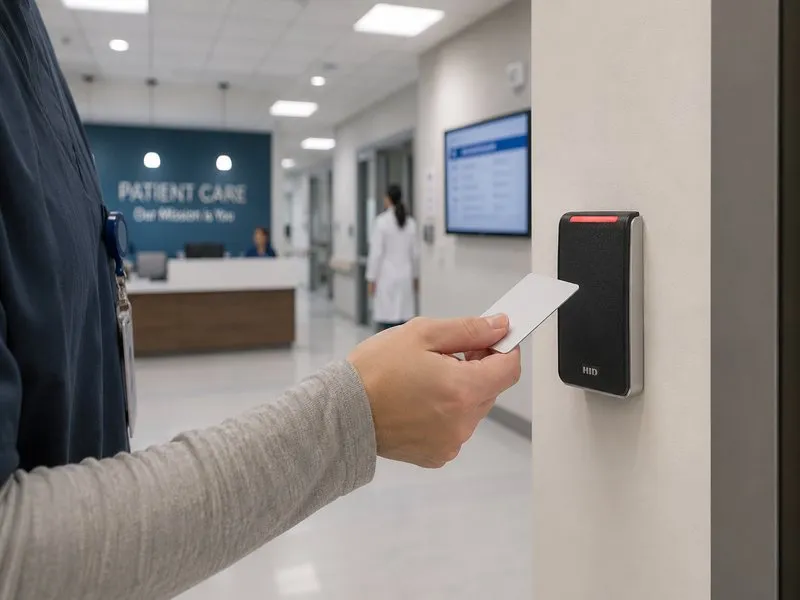
A property manager’s phone call we can predict: a new tenant gets handed a stack of access cards, taps one at the front door, and nothing happens. Behind that dead tap is a controller bought years ago, running a card technology the industry has moved past. Nobody in the building can say which generation it is — only that it was old when the current manager took over.
That call is when most New Hampshire property owners start shopping for an access control upgrade, and it is a frustrating way to start — the door is the problem, and every vendor has a different answer. One says everything has to go. One wants to bolt a new reader onto the oldest controller in the state. Both can be wrong.
Arcomm has worked on New Hampshire building access for forty years, and the honest answer usually sits between those pitches. The right path depends on what is already on your doors — and it often saves tens of thousands of dollars to reuse the doors worth reusing and replace only the parts holding the building back.
First, figure out what generation your system is
Before anyone quotes an upgrade, identify what the building actually has. Access control hardware falls into broad generations, and each changes the math:
- Prox-card legacy systems — tap-and-go badges standard since the 1990s. Cheap, slow, and the least secure of the bunch.
- Encrypted or high-frequency credentials — newer formats that read faster and resist copying. If your organization is standardizing credentials across sites, this is usually already the plan.
- Mobile-credential systems — the card becomes an app on the tenant’s phone. Where most new commercial and multifamily installs land: no card printing, instant move-ins, instant revocation.
- Wiegand-edge controllers — the 1990s wiring standard still running much of the country’s reader-to-panel signaling, and the reason a modern encrypted card on an old controller quietly behaves like the old card.
None of those generations is automatically obsolete. A seven-year-old controller with a fleet of prox cards may only need new readers; a fifteen-year-old controller that has eaten two power supplies and can’t be programmed from a modern computer is not worth a new card on top of.
The reuse path: upgrade the credentials, keep most of the doors
The best news for owners of older systems is that a real upgrade rarely touches every door. In most buildings a handful carry the security weight — main entrance, service door, garage, key amenity and mechanical spaces — and the rest matter more for convenience than credential strength.
A reuse-path upgrade looks like this:
- Replace readers at the high-value doors so the building can issue modern credentials while the controller underneath keeps running.
- Reuse controllers and locks wherever they are healthy, supportable, and doing their job. A door that has run trouble-free for a decade does not need to be reborn the same week as the lobby.
- Recard the building in one wave so nobody carries an old card and a new card for three months. Card numbers, move-in packets, garage tags — planned as a single event, not door by door.
The reuse path wins when the controller is healthy and the pain is concentrated in cards and readers: three or four new readers at the doors that matter, one recard, and a controller that gains a decade of life.
The replace path: when the controller is the problem
Some owners hear “your cards are the old part” and breathe a sigh of relief. Others find out the readers are fine and the panel underneath is what holds the building back. The replace path usually begins when:
- The controller is discontinued. No firmware path, no parts channel, nobody to call. This is the same rule as an end-of-life alarm panel — we wrote about that problem in the alarm context: new hardware on top of an unsupported platform inherits the platform’s problems.
- The panel cannot take new technology. Some controllers physically can’t talk to mobile-credential platforms or the integrations a building wants next — elevator control, visitor management, camera views tied to door events.
- The building is changing. A lobby becoming shared-work space, a suite becoming a clinic, a building adding residential floors — a change of use is when owners re-plan the whole access side, because the door list and the policy both change.
The replace path is not a door-by-door demolition. A modern controller swap reuses most of the field wiring, locks, and readers in good condition — the work is at the panel and the programming. What changes at the tenant level is the experience: app-based access, reporting a manager can pull without a phone call, and a credential platform the industry will still support next decade. Arcomm installs access control systems across NH on modern controllers that pair with mobile credentials, visitor management, and elevator control — planned in from the start, not bolted on after opening.
What an upgrade costs — and how to avoid paying twice
Access control pricing is project-specific, and an honest number needs door count, controller generation, and recard scope in front of it. What drives the total:
- How many doors get new hardware versus doors that stay as-is
- Whether the controller supports the credentials you want or needs replacement
- Whether the recard is one wave or a slow roll-out — a messy recard is the most common way upgrades pay twice, in staff time and tenant grievances
- What gets added while doors are open — a door contact, a request-to-exit device, a camera at the entrance — cheap during an upgrade, expensive as standalone service calls
Most buildings we survey end up on a blended path: replace the readers and cards where the old system is actively costing you security, keep the rest until natural retirement, and sequence the change in two phases — a modern front door this quarter, a modern building within the year. The cheapest quote is rarely the one that survives the year: ask what the end state looks like — one credential standard, one supported panel family, and a written list of which doors stay on legacy hardware until when.
Where NH owners are spending upgrade money this year
- Multifamily owners moving properties to mobile credentials — the phone becomes the key, move-in is same-day, lost-card calls drop to nearly zero, and the intercom at the front door becomes one more thing a resident can answer from their phone.
- Businesses retiring last-generation prox systems — trading short-range tap cards for faster, harder-to-copy credentials, or consolidating multi-site portfolios onto one standard.
- Owners pairing access with visibility. Upgrades increasingly bundle security cameras at entrances so a door event comes with a picture. Modern controllers are built for those integrations; older ones are not.
How to start
Start with a controller-and-door survey, not a quote over the phone: identify the controller generation, test a reader at a busy door, list which doors are worth upgrading and which are fine until later, and lay out the recard logistics in writing.
Arcomm has been upgrading building access across New Hampshire and northern New England since 1985 — storefronts to multi-building portfolios, on Bosch intrusion panels and modern cloud-managed access controllers. If your building’s doors are ready for the next step, contact Arcomm at (603) 464-4000 or request a consultation.
Need help with this?
Arcomm has been installing and servicing commercial security and IT systems in New Hampshire since 1985. We'll tell you honestly what fits your building and budget.
Request a Consultation