
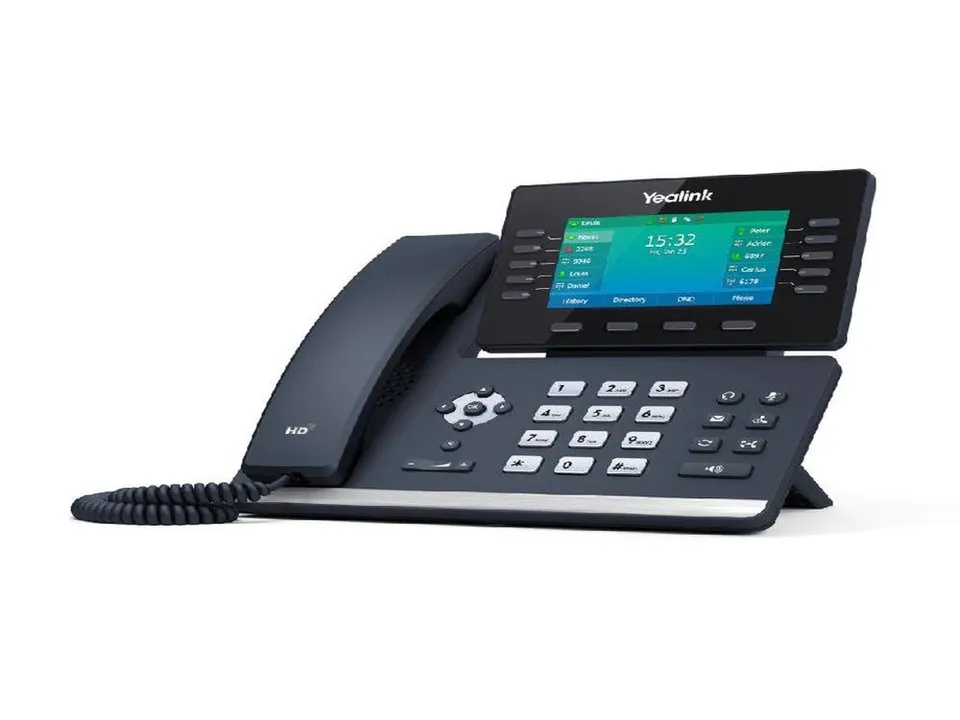
Walk into almost any office between Keene and Portsmouth and you will find one of three phone situations: a cloud system that just works, an aging Avaya, Panasonic, NEC, or Nortel cabinet nobody wants to touch, or a patchwork of cell phones answering the business line. If you are in the second or third group and starting to shop, this guide walks through the decisions that actually matter for a New Hampshire business — and the ones that mostly waste your time.
What you are actually shopping for
Every “business phone system” quote you will get falls into one of three buckets:
- Hosted VoIP (cloud): Your phones connect over the internet to a platform managed by the provider. No server in your closet. Updates, redundancy, and new features happen upstream; you manage handsets and users.
- On-premise IP PBX: A phone server you own sits in your building. More control and no per-user platform fee, but you own the maintenance, the upgrades, and the failure risk.
- Hybrid: Cloud voice for most of the building with gateways that keep specific legacy equipment — paging horns, door phones, analog lines for elevators or alarms — alive and connected.
There is no universally right answer. A five-person office in Peterborough and a three-floor medical practice in Manchester have different budgets, different uptime tolerances, and very different tolerance for equipment in a closet.
Hosted VoIP vs on-premise: the honest trade-offs
Hosted VoIP shifts capital spending to an operating cost. You buy handsets, pay per user per month, and the heavy lifting — server hardware, software updates, failover — is somebody else’s problem. For most NH small businesses, this is the shortest path to modern features without an IT hire. It does depend on your internet connection, so a marginal circuit becomes part of the phone decision.
On-premise makes sense when you have existing network staff, want control over every setting, or have integration needs a cloud platform cannot match. The trade-off is that you are the uptime guarantee. When the server fails on a Friday afternoon, recovery depends on the spare parts and expertise you have arranged in advance — not what you wish you had arranged.
A practical middle path for many organizations: move voice to the cloud, then keep the two or three analog dependencies (fire alarm communicator, elevator phone, door buzzer) on purpose-built replacements rather than forcing the whole building onto someone’s half-planned workaround. Copper line retirements across New England are making this conversation unavoidable anyway — we covered the details in our POTS line replacement guide.
The features that actually get used
Sales sheets list forty features; your staff will use about six. Prioritize these:
- Auto attendant that is easy to change in-house, so holiday hours do not require a support ticket.
- Voicemail-to-email and mobile apps, so calls reach people whether they are at a desk in Concord or a job site in Littleton.
- Ring groups and find-me/follow-me, so a customer with a billing question reaches a human instead of a dead-end mailbox.
- Texting (SMS) from the business number, which customers increasingly expect from service businesses.
- Call reporting, because “calls are getting missed” arguments need numbers, not impressions.
- Simple conferencing without a separate paid subscription.
Feature creep is real. Paying extra for capabilities nobody at your company will ever configure is the most common overspend we see on quotes.
What drives the cost
Business phone system pricing in NH has three levers:
- Users and handsets. Per-user platform pricing scales monthly; handset hardware is the up-front piece. Reusing viable IP handsets from an existing system is sometimes possible — a vendor who inspects before quoting beats one who assumes all-new.
- Network readiness. Phones need power (usually PoE) and bandwidth. If your switch closet has a ten-year-old non-PoE switch, or drops are missing in a remodeled area, cabling work belongs in the quote, not in a surprise change-order. This is the same work covered on our structured cabling in New Hampshire page.
- Porting and cutover. Your numbers follow you, but porting takes planning — especially if some of those “phone lines” are actually feeding alarms or elevator phones. A competent installer inventories every copper circuit before touching the port order.
Check the network before you sign anything
The single most predictive test of whether a VoIP install will go smoothly is the state of your current network:
- Does your switch provide PoE, or does every phone need a wall adapter?
- Are there enough drops at reception, the conference room, and the remodeled corner?
- Is Wi-Fi carrying calls across a warehouse or an old mill building with plaster walls?
- Who owns your firewall rules, and can QoS actually be set?
If the vendor cannot answer network questions — or does not ask them — the install will surface those answers later, at the worst possible time. This is why phone quotes from a low-voltage contractor who lives in your wiring closet differ from quotes from an online storefront.
Questions to ask before you commit
- Who owns the equipment and the numbers if we part ways?
- What is the contract term, and what happens to pricing after it ends?
- How is 911 handled, including the address registered to each phone — which matters for multi-site and remote users?
- What is the support path: a help desk in another time zone, or a tech who can be on site in the Monadnock region or the Seacoast?
- How are legacy dependencies — paging, door entry, alarm lines — carried over or replaced?
Why local support matters in New Hampshire
Phone systems fail on the first cold Monday after a storm, not at your convenience. Arcomm has been installing and supporting business phone systems across New Hampshire since 1985, through PBX, digital, and now VoIP — we still service the legacy Avaya, Panasonic, NEC, and Nortel systems many NH organizations are running while they plan their move, and we host Arcomm Connect, our own managed VoIP platform, for businesses that want the cloud without impersonal support. One vendor who handles the phones, the cabling they run on, and the network behind them is the configuration that holds up over years, not just the demo.
Contact Arcomm at (603) 464-4000 or request a consultation. We will walk your building, inventory what you have, and give you a straight comparison of what a move would actually involve — with no obligation to rip out anything that still earns its keep.
Need help with this?
Arcomm has been installing and servicing commercial security and IT systems in New Hampshire since 1985. We'll tell you honestly what fits your building and budget.
Request a Consultation