
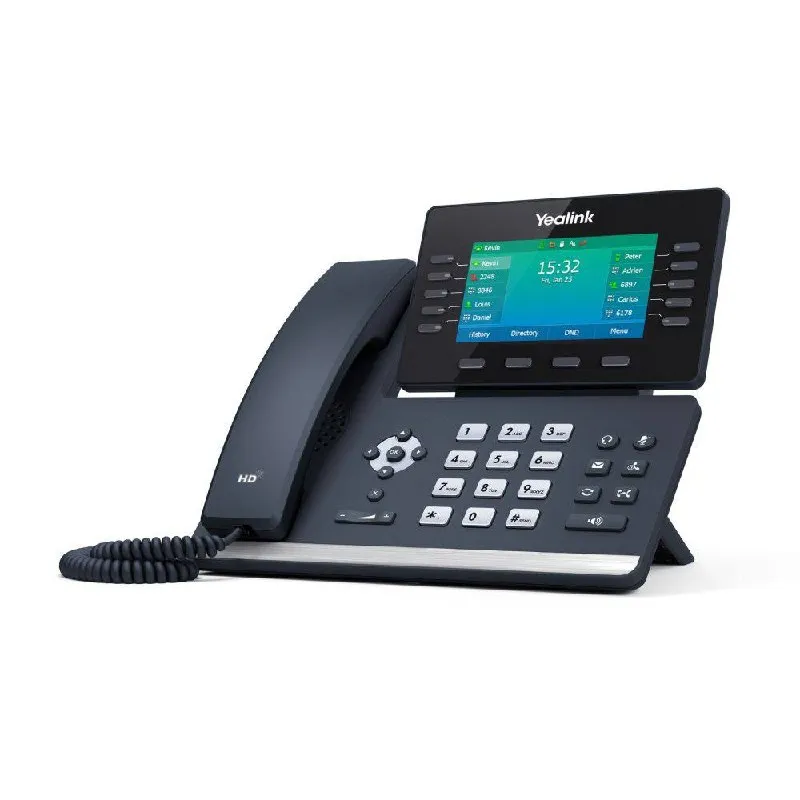
The Phone System Switch Nobody Plans For
Most New Hampshire businesses run their phone system until it dies. The old Panasonic PBX in the back closet of a Concord insurance agency hums along for 15 years. Then one Monday morning the receptionist picks up the handset and hears nothing. No dial tone. No calls coming in. The vendor who installed it retired in 2012.
A VoIP cutover is not an emergency you want to handle under pressure. It is a planned migration from traditional phone lines to internet-based calling. Done right, it happens over a weekend and your staff walks in Monday to new phones that work. Done wrong, you lose calls for days while a technician troubleshoots porting errors and firewall settings nobody documented.
This checklist covers what actually matters during a business VoIP cutover in New Hampshire. Not the marketing brochure version. The version based on systems we have installed in Manchester medical offices, Nashua law firms, Portsmouth hotels, and town halls from Keene to Dover.
Before You Touch a Single Phone
The work that determines whether your cutover succeeds happens before any equipment arrives.
1. Audit your current phone lines
You need to know exactly what you have before you can move it. Walk through every phone number in your business:
- Main published number
- Direct lines for key staff
- Fax lines (yes, some NH businesses still fax)
- Alarm lines (burglar alarm, fire alarm, elevator emergency)
- Credit card terminals
- Postage meters
- Backup lines nobody remembers until they stop working
We found a Lebanon manufacturing shop with a dedicated line running to a modem that monitored their boiler temperature. Nobody knew it existed until the cutover killed it and the boiler alarm failed. Audit everything.
2. Check your internet connection
VoIP calls travel over your internet connection. If your connection is unreliable, your phone system will be unreliable. Before any cutover:
- Run a speed test at multiple times of day. You need consistent upload speed, not just download.
- Check for packet loss. Anything above 1% causes call quality problems.
- Verify your firewall can handle VoIP traffic. Consumer-grade routers often cannot.
- Test jitter (variation in packet arrival). High jitter makes calls sound robotic.
For a 10-person office, 50 Mbps down and 10 Mbps up is usually sufficient. For 30+ phones with heavy call volume, plan for 100/20 or better. Rural NH locations on DSL or fixed wireless need extra attention — we often install a backup LTE connection for failover.
3. Map your call flow
Document how calls move through your business today:
- Auto-attendant menu structure (“Press 1 for sales, 2 for service…”)
- Ring groups (which phones ring when a department is called)
- After-hours routing
- Holiday schedules
- Voicemail-to-email settings
- On-call rotation for emergency service
If you skip this step, your new system will be configured from memory during the cutover weekend. Memory is wrong about half the time.
The Cutover Week: What Happens When
A typical VoIP cutover for a New Hampshire small business follows this timeline:
Monday–Wednesday: Pre-installation
We configure the new system offsite. Phone numbers get programmed, user extensions assigned, auto-attendants built, ring groups set up. Your staff keeps using the old system with zero disruption.
Thursday: On-site prep
We install new network switches if needed, run cabling to phone locations that lack Ethernet, and mount any new equipment. Your old phones still work. We test network connectivity at every desk that will get a VoIP phone.
Friday afternoon: Final verification
We walk through the configuration with you. Verify every extension, every ring group, every auto-attendant prompt. Confirm the porting date with your carrier. Test a few calls internally.
Saturday (cutover day):
- 8 AM: Old system goes offline. Number porting activates.
- 8–10 AM: New phones boot up, register with the system, pull configurations.
- 10 AM–12 PM: Test every phone. Incoming calls, outgoing calls, internal transfers, voicemail.
- 12–2 PM: Fix anything that failed. There is always something.
- 2–4 PM: Staff training walkthrough if requested.
- By 5 PM: System is live and tested.
Monday morning:
Staff arrives to new phones. We are on site or on call for the first business day to handle questions.
What Actually Breaks During Cutovers
After installing phone systems across New Hampshire since 1985, here is what goes wrong most often:
Number porting delays. Your carrier says numbers will port Saturday at 10 AM. They port at 4 PM. We keep a temporary forwarding number active so incoming calls are not lost during the gap.
Forgotten analog devices. That fax machine in accounting. The credit card terminal at the front desk. The elevator emergency phone. Analog devices need analog telephone adapters (ATAs) to work on VoIP. We inventory these during the audit, but businesses forget to mention them about 40% of the time.
Firewall SIP inspection. Many firewalls have a setting called “SIP ALG” or “SIP inspection” that is supposed to help VoIP traffic. It usually breaks it. We disable this during pre-installation, but if your IT provider re-enables it later, calls drop randomly.
Old cabling. A Manchester law firm had Cat3 cable from 1994 running to half their offices. VoIP phones need Cat5e or better. We ran new drops to 12 locations during the prep week. If we had discovered this on cutover day, those desks would have been silent Monday morning.
User panic. Someone cannot find the hold button on their new Yealink phone. They have used a 20-year-old Nortel set their entire career. We label key functions and do a 10-minute walkthrough with each department. It is not complicated, but change is change.
What a VoIP Cutover Costs in New Hampshire
Pricing depends on phone count and complexity. These are installed prices including hardware, configuration, cutover labor, and first-day support:
Small office (5–10 phones): $3,500–$6,000
Includes Yealink or Panasonic desk phones, cloud-hosted or on-premise phone system, auto-attendant setup, number porting coordination, and cutover weekend labor. Common for medical practices, insurance agencies, and small professional offices.
Mid-size (15–30 phones): $7,000–$14,000
Adds advanced call routing, multiple auto-attendants, voicemail-to-email for all users, and typically a dedicated on-premise appliance. Common for law firms, municipal offices, and mid-size manufacturers.
Larger (40+ phones): $18,000–$35,000
Enterprise features: call center queues, wallboard displays, CRM integration, multi-site connectivity, redundant internet failover. Used by hotels, school districts, and multi-location businesses.
These prices assume your network infrastructure is adequate. If we need to install new switches, run cabling, or upgrade your firewall, those costs are separate and quoted after the site survey.
See our business telephone systems in New Hampshire page for ongoing service and support details.
Hosted vs On-Premise: What Works in NH
Hosted VoIP (cloud): The phone system runs in a data center. You pay per user per month ($20–$35/seat). Updates and maintenance are included. Works well for businesses with reliable internet and no dedicated IT staff. If your internet goes down, your phones go down — which is why we recommend backup LTE for critical locations.
On-premise VoIP: A server or appliance sits in your telecom closet. You own the equipment. Higher upfront cost, lower ongoing cost. Works during internet outages for internal calls. Better for rural NH locations where internet reliability is a concern, or for businesses that want full control over their system.
Hybrid: On-premise system with cloud failover. If your internet drops, calls route to cell phones automatically. Best of both worlds, at a moderate price premium.
For most NH small businesses, hosted VoIP with a backup internet connection is the practical choice. For manufacturers, town offices, and healthcare facilities where phone uptime is critical, we lean toward on-premise or hybrid.
The NH-Specific Considerations
Winter power outages. Ice storms knock out power and internet in rural NH regularly. A VoIP system with battery backup and LTE failover keeps phones working when the power company is still assessing damage. We install UPS units sized for at least 4 hours of runtime on all on-premise systems.
DSL and fixed wireless. Parts of Hillsborough County, the Monadnock region, and northern NH still run on DSL or fixed wireless internet. VoIP works on these connections but needs careful configuration — lower codec bitrates, QoS settings on the router, and realistic expectations about concurrent call capacity.
E-911 registration. VoIP phones do not automatically transmit your location to 911 dispatchers like traditional landlines do. You must register each phone’s physical address with your VoIP provider. If you move a phone to a different building without updating E-911, emergency responders go to the wrong location. We verify E-911 registration for every phone during cutover and document the update process for your staff.
The Checklist Summary
Print this. Tape it to the wall during your cutover planning:
- Every phone number documented (including fax, alarm, credit card, elevator)
- Internet connection tested for speed, packet loss, and jitter
- Firewall SIP ALG disabled
- All analog devices identified and ATA adapters ordered
- Call flow mapped (auto-attendant, ring groups, after-hours, holidays)
- Network cabling verified (Cat5e or better to every phone location)
- Number porting date confirmed with carrier
- Temporary forwarding number active for porting gap
- E-911 addresses registered for every phone
- UPS battery backup installed for on-premise equipment
- Staff training scheduled for cutover weekend or Monday morning
- On-call support arranged for first business day after cutover
When to Start Planning
If your current phone system is more than 10 years old, start planning now. Parts availability for older Panasonic, Nortel, and Avaya systems is declining. Carrier support for traditional analog lines and PRI circuits is shrinking. At some point your hand is forced — better to choose the timing than have it chosen for you.
Contact Arcomm at (603) 464-4600 or request a site survey to discuss a VoIP cutover for your New Hampshire business. We will walk your facility, audit your lines, test your network, and deliver a fixed-price proposal with a timeline you can plan around.
Need help with this?
Arcomm has been installing and servicing commercial security and IT systems in New Hampshire since 1985. We'll tell you honestly what fits your building and budget.
Request a Consultation